

Hine
Unlike traditional messaging apps, Hine doesn’t rely on a central server - messages are synchronized directly between the users’ devices.
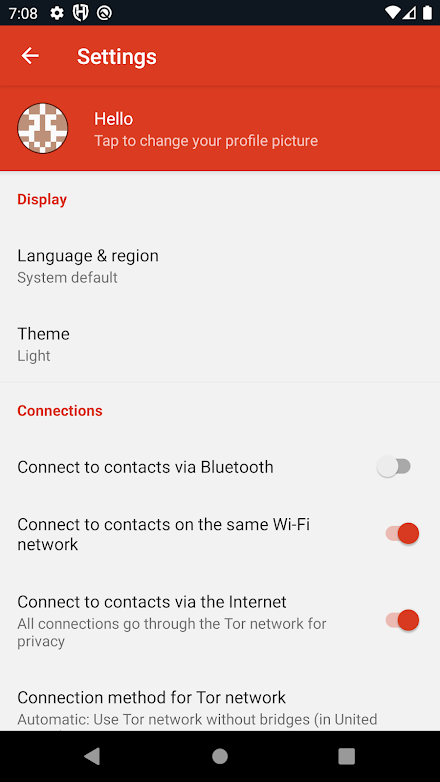
If the internet is down, Hine can easily sync via Bluetooth or Wi-Fi with devices in range, keeping information flowing in an emergency.
If there is internet connectivity, then Hine will send and receive messages via the Tor network, protecting users and their communications from surveillance.
Hine uses the Tor network to prevent eavesdroppers from learning which users are talking to each other.Each user’s contact list is encrypted and stored only on his/her own device, meaning that it cannot be retrieved by hacking into a central server.All communication between devices is encrypted end-to-end, protecting the content inside messages from being intercepted and read.
In case of Emergency, Hine has a panic button which will delete all messages and content within the App and delete the user account.Hine is developed not-for-profit, and does not contain any advertising or other tracking cookies.
It is maintained by the goodwill of those wishing to create a better world.
About Hine
- Package name (App ID)
- org.briarproject.hine.android
- Available on
- Google Play
- Price
- Free
- Developer
- Code Fun
Looking for the Hine APK?
The safest way to get Hine (org.briarproject.hine.android) on your Android device is to install it directly from Google Play — you'll always get the latest official version, automatic updates, and no risk of modified or infected APK files from third-party sites.

Social Features
Connect and share with friends and the community.
Learning Tools
Enhance your learning experience with interactive features.
Food & Dining
Discover recipes and order food from your favorite restaurants.
See Hine in Action


Frequently Asked Questions
Is Hine free?
Yes, Hine is free to download and install on Android through Google Play.
How do I install Hine on Android?
Open Google Play on your Android phone or tablet, search for Hine by Code Fun or tap the Google Play button on this page, then tap Install. The app downloads and installs automatically.
What is org.briarproject.hine.android?
org.briarproject.hine.android is the App ID (package name) of Hine on Google Play. Every Android app has a unique package name, and it is the safest way to verify you are installing the official app.
Is Hine safe to download?
Installing Hine from Google Play is the safest option: you get the official version published by Code Fun, verified by Google Play Protect, with automatic updates. Avoid APK files from unofficial third-party sites.

Get Hine Today
Hine for Android — free download on Google Play.
Compatible with Android phones and tablets — available on Google Play.
Ask AI about this app
Get instant answers about features, tips and more from popular AI assistants.